고정 헤더 영역
상세 컨텐츠
본문
728x90
728x90
Hey everyone 🙋♀️
Today, we’re diving into a slightly lesser-known but incredibly powerful Excel function —
the one and only INDIRECT! 😎
This function might seem tricky at first,
but once you get the hang of it, it becomes a game-changer in reports, dashboards, and automation 💼
What is INDIRECT? 🤔
To put it simply:
👉 INDIRECT converts text into an actual cell reference!
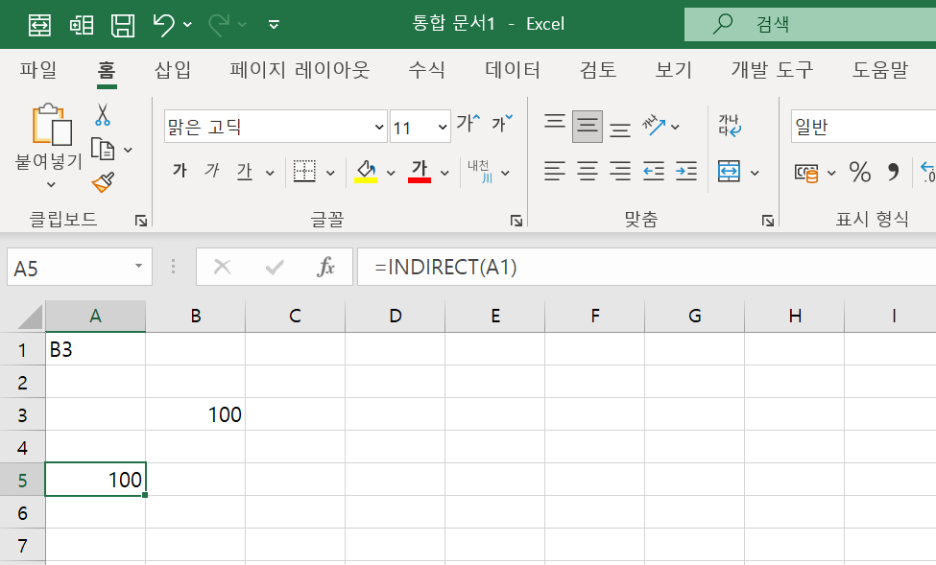
Let’s say cell A1 contains "B3" and B3 contains 100.
=INDIRECT(A1)
➡️ This returns 100 — because it reads the text "B3" in A1 and treats it as a real reference.
Syntax of INDIRECT 📐
=INDIRECT(ref_text, [a1])
- ref_text: A cell reference in text format
- [a1]: TRUE (default) for A1 style, FALSE for R1C1 style (you can usually skip this)
Example 1: Use a cell to decide which cell to reference ✍️
|
A
|
B
|
|
B3
|
|
|
|
100
|
INDIRECT(A1)
👉 Result is 100
Because A1 holds the text "B3", INDIRECT fetches the value in B3.
Example 2: Referencing other sheets 📄
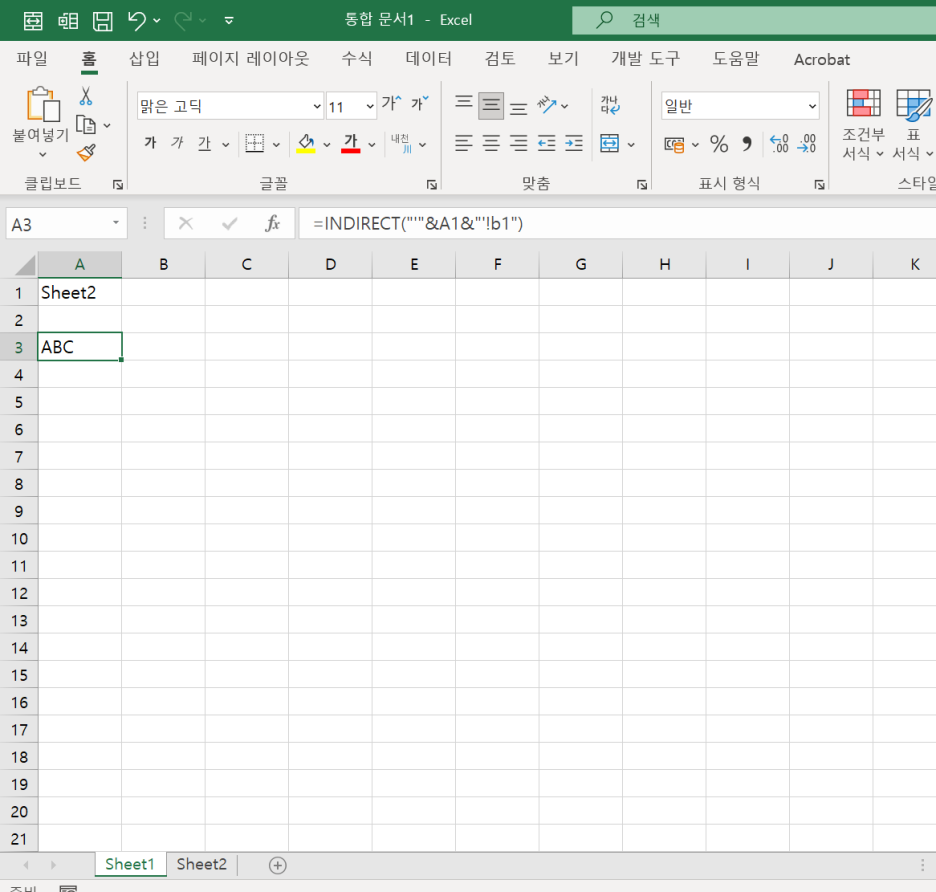
Let’s say A1 = "Sheet2" and in Sheet2!B1 you have "ABC".
excel
=INDIRECT("'" & A1 & "'!B1")
👉 Result: "ABC"
You’re dynamically referencing Sheet2!B1 using the name in A1.
💡 If the sheet name has spaces, always wrap it in single quotes!

Example 3: Combine column letter + row number for dynamic targeting 📊
=INDIRECT("B" & 3)
👉 Fetches value in B3
Useful when rows/columns are dynamically calculated or controlled by other cells!
Example 4: Real-World Use 💼 | Pulling Monthly Student Scores from Multiple Sheets 📊
Now for a real practical case used all the time in Excel-heavy jobs!
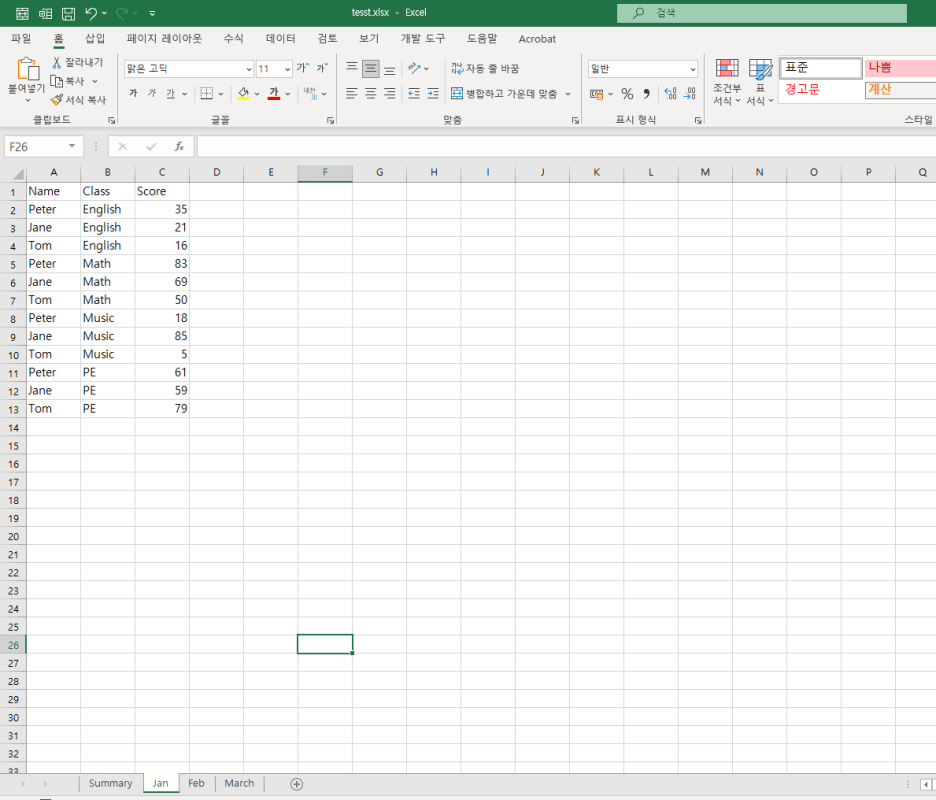
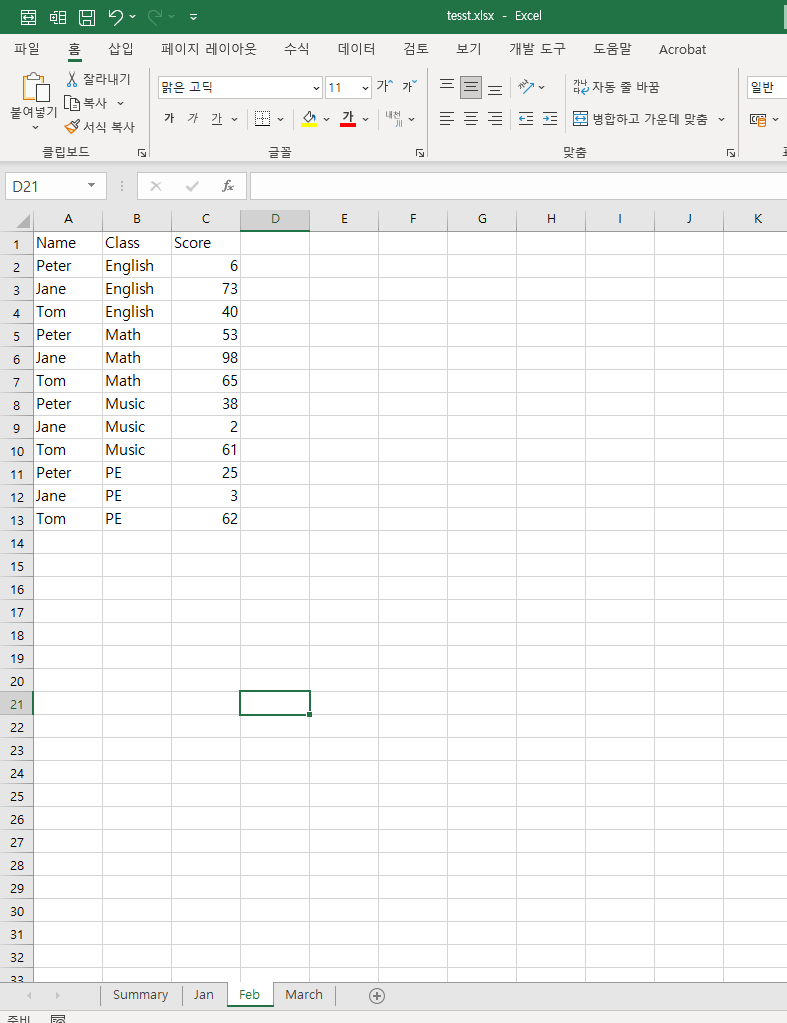
You have monthly sheets like Jan, Feb, March, each storing the same student data:
A (Name)B (Class)C (Score)
| Tom | 1 | 85 |
| Peter | 2 | 90 |
| Jane | 1 | 88 |
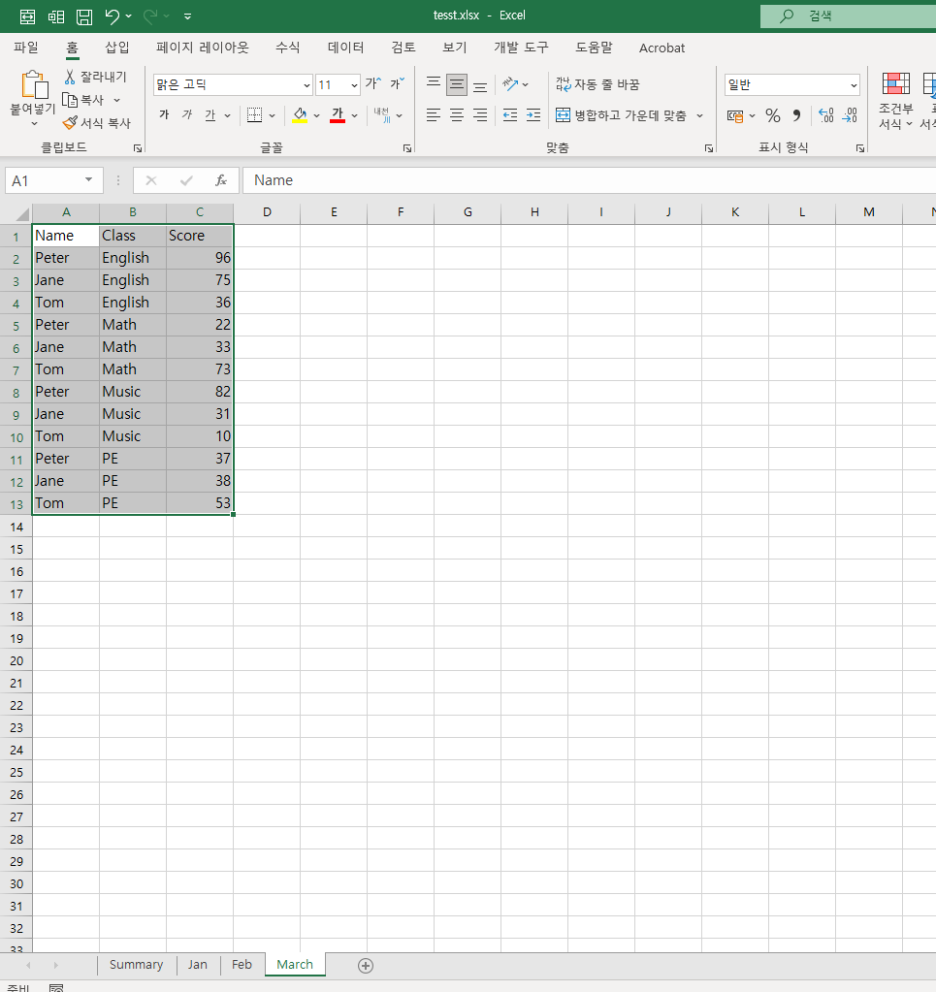
- Then in the Summary sheet, you want to see the average score per student per month:
|
A열 (Month)
|
B열 (Tom)
|
C열 (Peter)
|
D열 (Jane)
|
|
Jan
|
(점수)
|
(점수)
|
(점수)
|
|
Feb
|
(점수)
|
(점수)
|
(점수)
|
|
March
|
(점수)
|
(점수)
|
(점수)
|
👉 Instead of building formulas for each student + month manually,
you use INDIRECT to dynamically reference the right sheet!
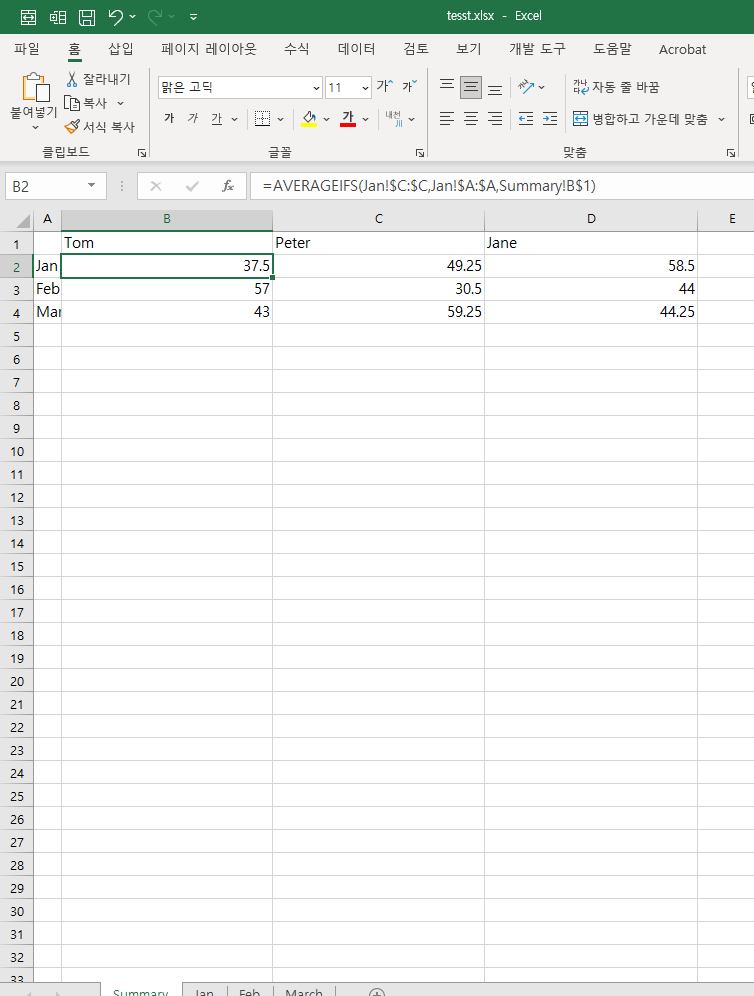

✅ Formula (in cell B2 of Summary sheet):
=AVERAGEIFS(INDIRECT("'" & $A2 & "'!C:C"), INDIRECT("'" & $A2 & "'!A:A"), B$1)
- $A2: month/sheet name (e.g., "Jan")
- B$1: student name (e.g., "Tom")
- Column C in the target sheet is where the scores are
- Column A in the target sheet has student names
🎯 This formula tells Excel:
“Go to the sheet named in A2, and return the average score from column C where column A matches the student name in B1.”
You can copy this formula across and down — and build a full dynamic score matrix 💪
When to Use INDIRECT 💡
- Dynamic references to different sheets
- Making templates that work for any cell or tab
- Building dashboards, summaries, or linked monthly reports
Just remember: since INDIRECT uses text to build a reference,
🔒 it’s not updated when you rename sheets or move cells — so be a bit cautious!
728x90
'Excel' 카테고리의 다른 글
| 엑셀 평균 함수 완전 정복 🍀 | AVERAGE vs AVERAGEIFS ✨ (0) | 2025.07.19 |
|---|---|
| Excel 実務関数 📦 | INDIRECT関数で動的な参照をマスターしよう!🎯 (0) | 2025.07.09 |
| 엑셀 실무 함수 📦 | INDIRECT 함수, 셀 주소를 자유자재로! 🎯 (0) | 2025.07.09 |
| 実務で使えるエクセル関数 🍀 | COUNTIFSで日付フィルターもバッチリ!📊 (0) | 2025.07.03 |
| Excel Practical Tips 🍀 | Mastering COUNTIFS with Date Filters! 📊 (0) | 2025.07.03 |


