고정 헤더 영역
상세 컨텐츠
본문
728x90
Hey guys 🙋♀️
Back again with another Excel tip!
Today, I want to share a super handy function —
It’s the MATCH function 🎯
So, what does MATCH do? 🤓
To put it simply,
👉 It tells you the position of a value in a given range!
For example,
Let's say cells A1 to A5 contain A, B, C, D, E.
=MATCH("C", A1:A5, 0)
This will return 3 because “C” is the third item in the range 💡
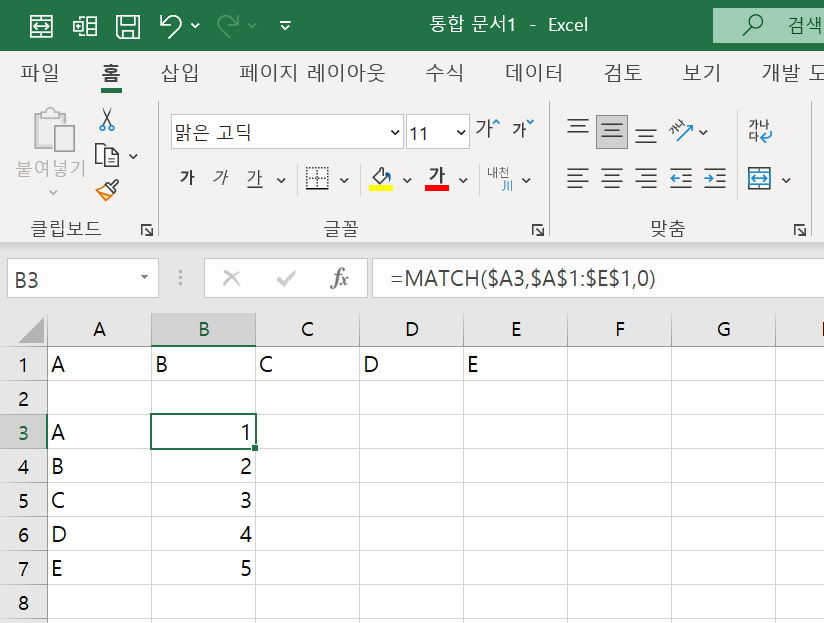
MATCH Function Syntax 📐
=MATCH(lookup_value, lookup_array, [match_type])
- lookup_value: the value you're searching for (e.g. "C")
- lookup_array: where you’re searching (e.g. A1:A5)
- [match_type]:
- 0: Exact match (most commonly used)
- 1: Less than or equal (requires ascending order)
- -1: Greater than or equal (requires descending order)
Honestly, just using 0 is enough for most situations 😎
MATCH works solo…
👉 But it’s even better with INDEX! 💪
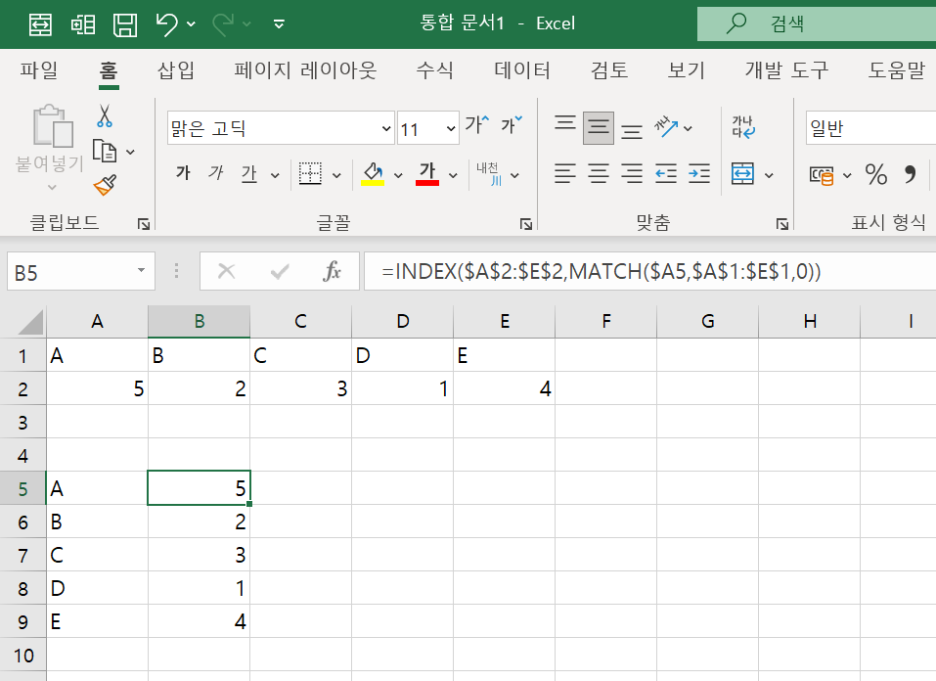
=INDEX(B1:B5, MATCH("C", A1:A5, 0))
What’s happening here?
MATCH finds the position of “C” in column A,
and INDEX pulls the value from column B at that same position 🙌
In short: you get the data that corresponds to “C” 💼
To Wrap Up 📌
The MATCH function is perfect for:
✔ Finding positions in data
✔ Using with INDEX for lookups
✔ Automating your templates
If you're into Excel, this is a must-know 💻✨
Next time, I’ll cover INDEX, VLOOKUP, and XLOOKUP with simple examples too! Stay tuned 😄
728x90
'Excel' 카테고리의 다른 글
| 엑셀 실무 함수 🍀 | COUNTIFS 함수로 날짜 필터링까지 완벽하게! 📊 (0) | 2025.07.03 |
|---|---|
| Excelの便利技 🍯 | MATCH関数でデータの位置を特定!🔍 (0) | 2025.07.01 |
| 엑셀 꿀팁 🍯 | MATCH 함수, 이거 하나면 데이터 찾기 끝! 🔍✨ (0) | 2025.07.01 |
| 🔍 Excel FIND関数 vs SEARCH関数 完全ガイド:文字列位置検索の基本 (0) | 2025.06.24 |
| 🔍 Excel FIND vs SEARCH Function Complete Guide: The Core of String Positioning (0) | 2025.06.24 |


